Automations
Run a prompt on a schedule and let it open workspaces.
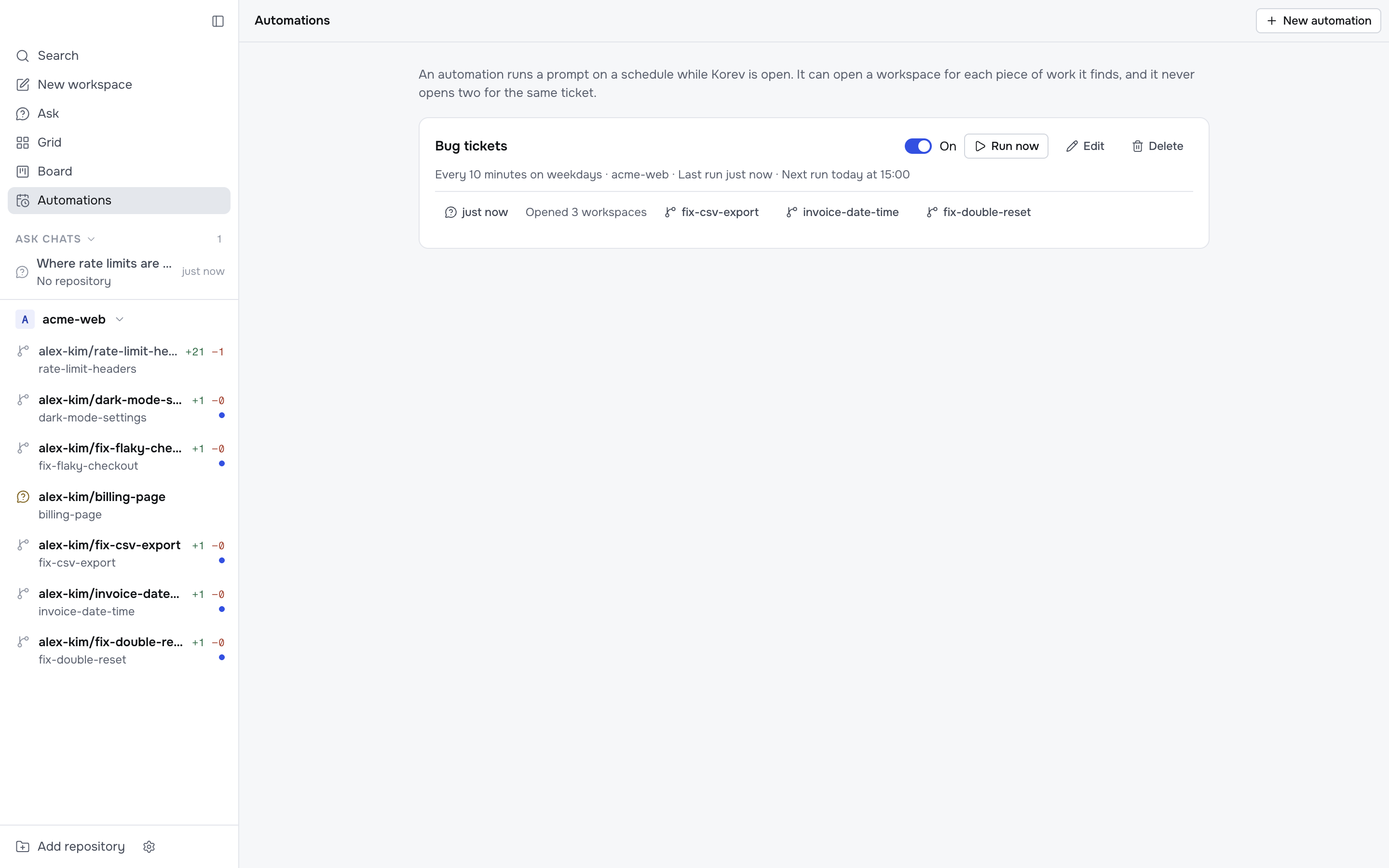
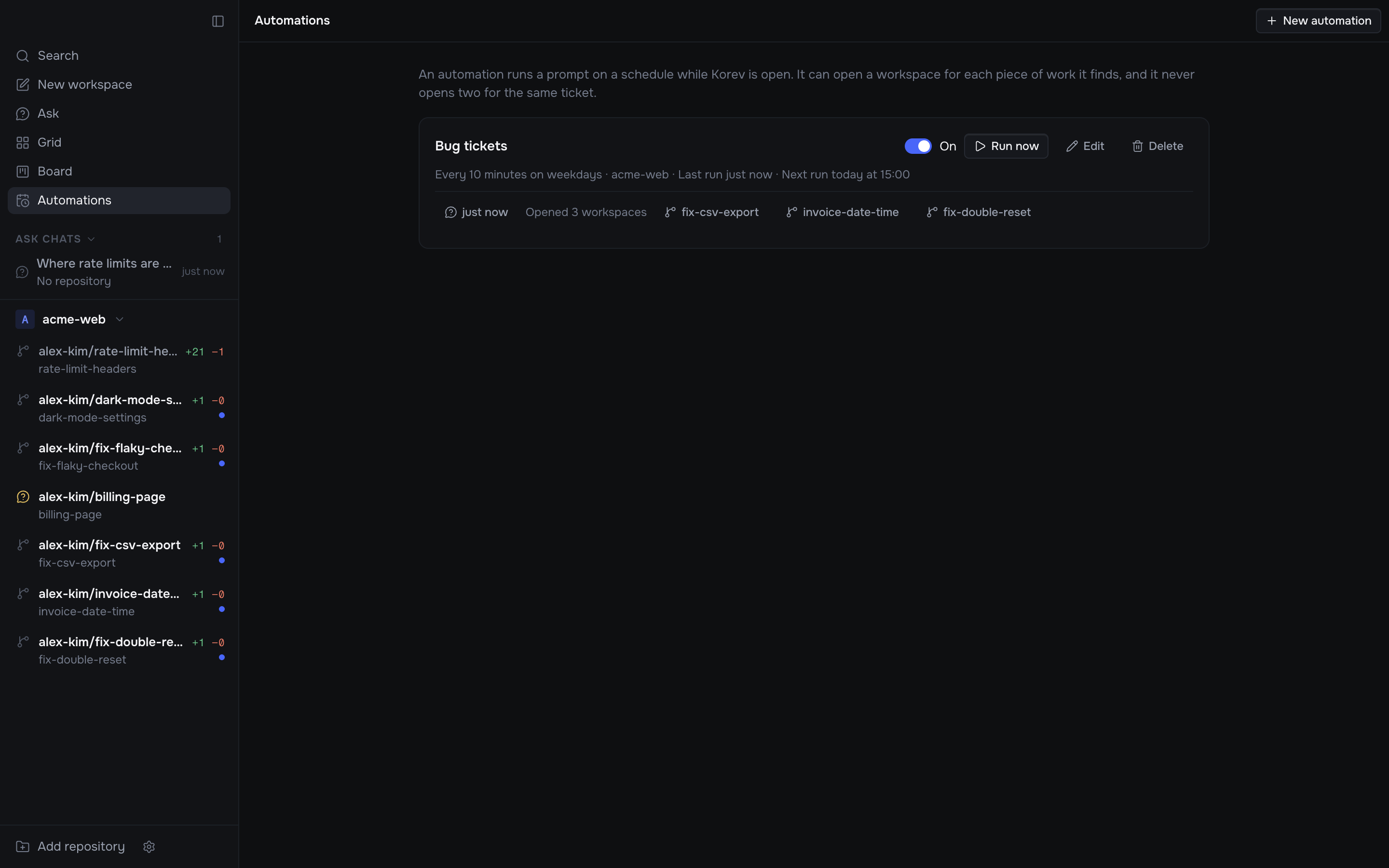
An automation runs a prompt on a schedule while Korev is open, such as every 10 minutes or at 09:00 on weekdays. It can open a workspace for each piece of work it finds. For example, it can check your support tickets every 10 minutes and open a workspace for each new one that needs a code change.
Create one
-
Click Automations in the sidebar, then New automation. When you have no automations yet, you can also pick one of the examples, such as Morning PR review, to start with its name, prompt and schedule filled in.
-
Give it a name and write the prompt. Say what to look at and when a workspace is worth opening, for example: "Read my open support tickets. For each one assigned to me that is not in progress and needs a code change, open a workspace to fix it."
-
Set when it runs:
- Repeat runs it every few minutes or hours. Turn on Only between to run it only in a time window, such as 09:00 to 18:00.
- At set times runs it at one or more times of day, such as 09:00 and 17:30.
- Click the days to pick which days it runs on. All seven days are on at first.
The line under the schedule says when the next run starts.
-
Pick the repositories it can open workspaces in. Leave this empty for an automation that only reports.
-
Click Create automation.
A Repeat automation starts its first run within a minute, or when its time window opens. An At set times automation waits for its next time. Click Run now to start one at once, and use the switch to pause the automation.
What a run does
Each run is a new chat with your default agent, in a scratch folder that is not a repository. The agent uses the same tools, MCP servers and gh sign-in as your other chats, so it can read tickets from wherever your tools reach.
Nobody watches a run, so its tool calls run without approval, as they do in a workspace when Tool approvals is off.
At the end of its reply, the agent lists the workspaces to open. Each one has a repository, a key and a prompt. The key names what the workspace handles, such as a ticket id. Korev then opens each workspace and sends the prompt to a new agent there, with the same defaults as a workspace you create.
When the work is on a pull request that is already open, the agent also gives the PR number. Korev then checks out that PR's branch, the same way as Create from… → Pull request, and the workspace tracks the PR. If the PR is merged or closed, Korev skips it.
Korev checks each request first:
- The repository must be one of the automation's. Requests for other repositories are skipped.
- One workspace per key. Korev remembers every key the automation used and skips repeats, so a ticket gets one workspace, not one every 10 minutes. The agent also sees the keys already used.
- One run at a time. A run does not start while the last one is still going.
When a run opens workspaces, Korev sends a notification.
Check on runs
The Automations page lists the last five runs of each automation:
- when the run started,
- what it did, such as Opened 2 workspaces or Nothing to open,
- the workspaces it opened,
- a note for each request Korev skipped.
Click a run's time to open its chat and read the whole reply. You can send it a follow-up message there. Korev keeps the last 20 runs of each automation. Runs do not show in the sidebar's Ask chats.
Limits
- Automations run only while Korev is open. Closing the window is fine, but quitting stops them. When Korev starts again, an automation that missed a run runs once. It does not catch up on every missed run.
- Times are in your Mac's time zone.
- A time window cannot go past midnight. Its end must be later than its start.